



On-Call Pay Is Two Numbers.
Here's How to Track Both.
Being on-call and actually getting called out are two different things. They're paid differently too. Most shift trackers log "on-call" as one shift with one rate and lose that distinction entirely. Overtime Live doesn't.
- On-call allowance and call-out pay are logged separately — never merged into one blurry number
- Set your on-call rate once in Settings and every on-call shift uses it automatically
- Get called out? Log it as its own shift at your normal or overtime rate, sitting right alongside the on-call entry
- Fits NHS on-call arrangements, police on-call allowance, IT/engineering on-call rotas, and anything else that pays availability separately from worked hours
- Completely free — no subscription, no account
Why on-call pay is so easy to get wrong
Ask most shift workers what their on-call shift was worth and you'll get a shrug. Not because they don't care — because it's genuinely two separate calculations happening at once, and almost nothing makes that clear.
There's the allowance: what you're paid simply for being available, whether or not your phone ever rings. And there's call-out pay: what you're paid for the actual hours you work if you are called in. NHS Employers' own guidance on on-call arrangements draws exactly this line — being "on-call" and "work done on-call" are treated as two distinct things, paid under different rules.
The problem is almost every tracker — apps, spreadsheets, the notes app — logs "on-call" as a single block. One entry, one rate, one number. The allowance and the call-out get flattened together, and you're left trusting a total you can't actually break down.
On-Call Allowance
Paid for being available — a flat rate or percentage of basic pay, for the whole window, whether or not you're called in.
Call-Out Pay
Paid for the actual hours you work if you're called in — usually your normal rate, or overtime if it tips you over.
How On-Call Days works
On-Call Days is its own shift type in Overtime Live, sitting alongside Days, Holiday, and Rest Day. Log a full on-call window — a night, a weekend, a full day — and it's recorded at your on-call rate, set once and applied automatically from then on.
If you get called out during that window, you log the hours you actually worked as their own separate shift, at your normal or overtime rate. It doesn't get folded into the on-call entry. It sits next to it.
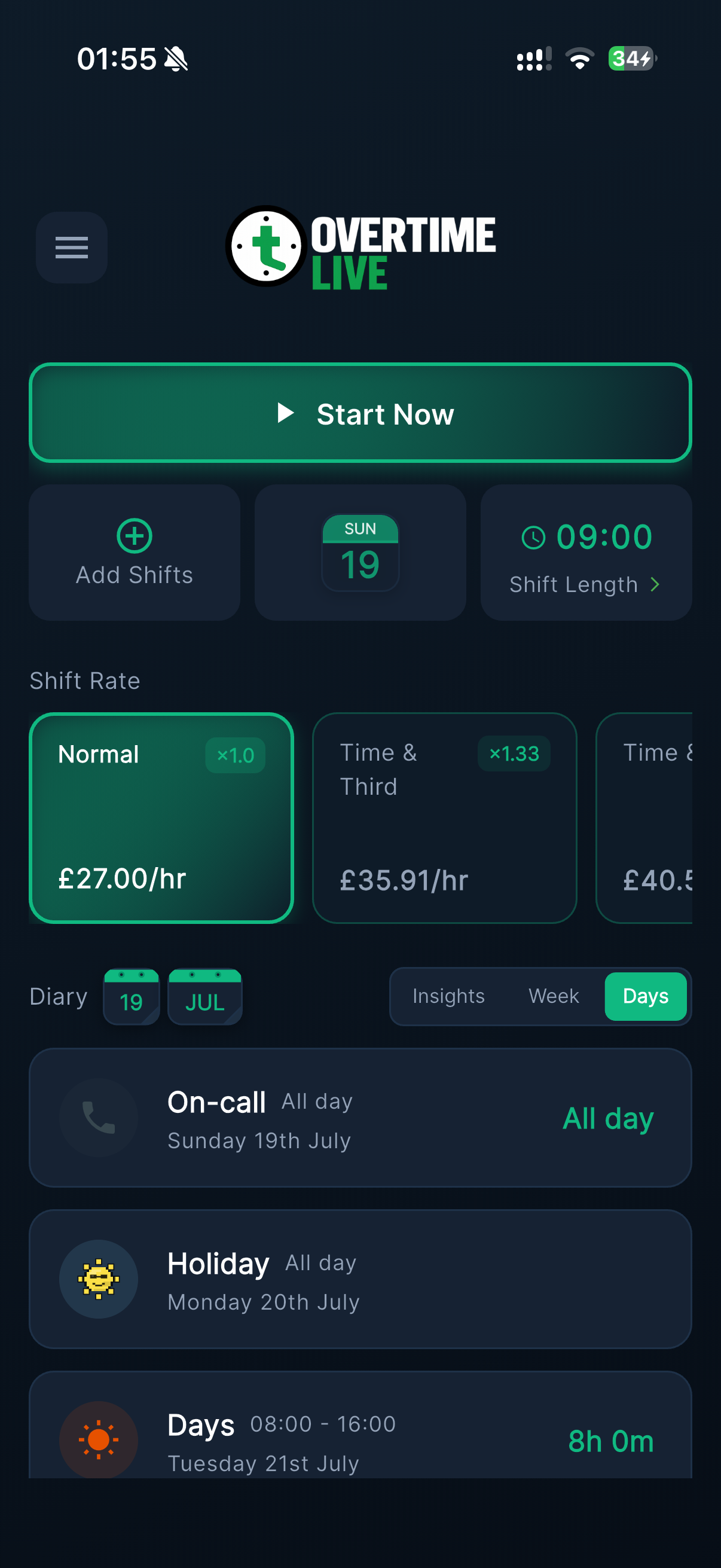
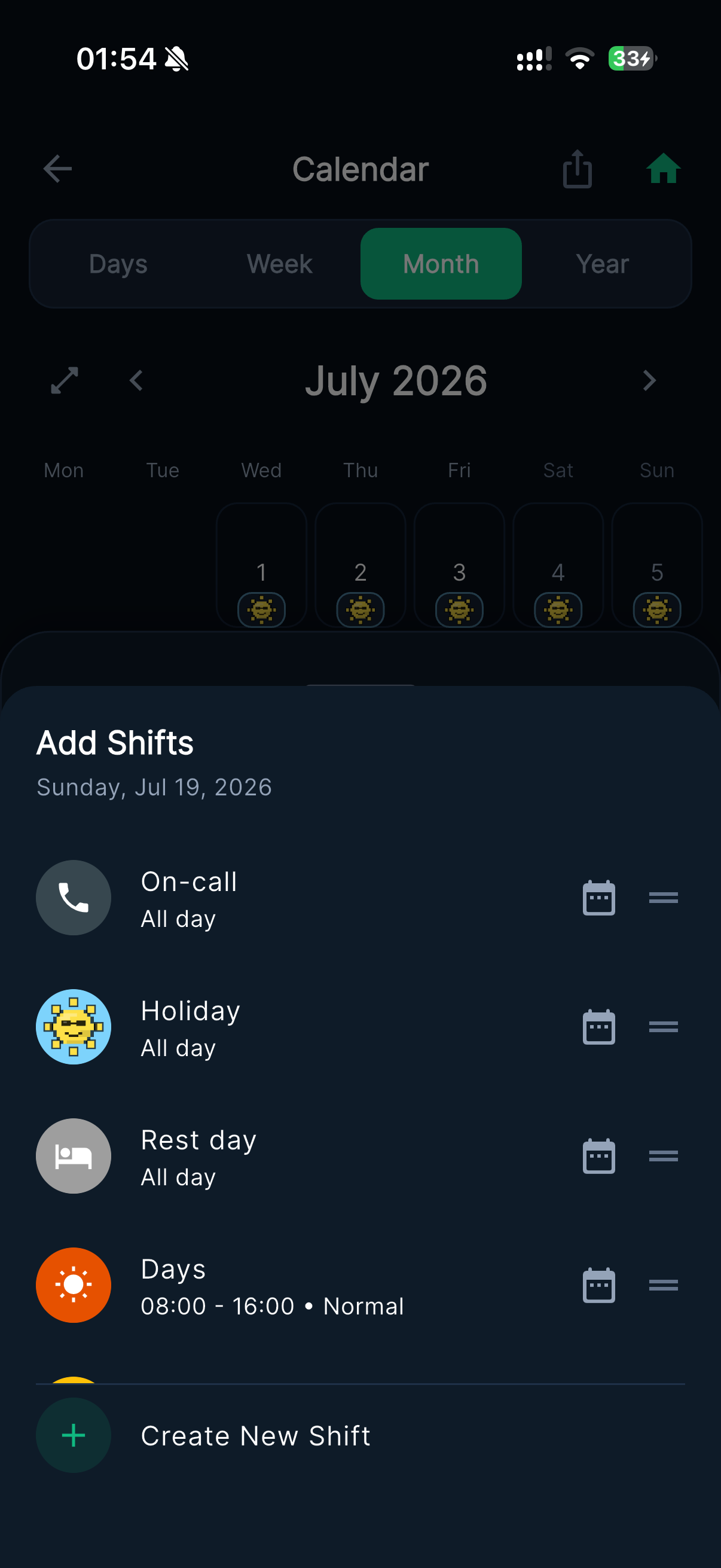
Left: On-call sits as its own entry in the diary, separate from any shift worked that day. Right: On-call is one tap away from the Add Shifts screen, alongside your other shift types.
Two entries, two numbers. Your on-call allowance and any call-out pay are always visible as separate figures you can actually check — not one estimate you're trusting blind. Add them together yourself for the day's real total, or let Stats do it for you.
On-call pay by sector
NHS
On-call arrangements are agreed locally by Trust, typically referencing Section 2 and Annex 29 of Agenda for Change — an availability allowance for the on-call period, and a separate rate, often with unsocial hours enhancements, for any work actually done on-call.
Police
Officers on an on-call rota are entitled to an unsocial hours allowance for the period itself. Any call-out is calculated separately, at the officer's normal rate for the hours actually worked — see our pay scales for current rates by rank.
IT & Engineering
On-call rotas for support and infrastructure roles commonly pay a standby allowance per shift or per week, with any incident response billed separately as overtime — the same two-number split, different industry.
Trades & Facilities
Maintenance, utilities, and facilities on-call rotas typically guarantee a minimum call-out payment on top of a standby fee — worth logging both separately to see which part of your on-call pay is actually adding up.
Whatever your contract calls it, if it pays you one amount for being available and a different amount for the hours you actually work, On-Call Days keeps those two figures separate — so you can see exactly which one changed.
Know What Your On-Call Day Actually Paid
No account. No subscription. Set your on-call rate once and forget about it.
Setting your on-call rate
Set your rate
In Settings, set a default on-call day rate — once
Log the window
Add an On-call shift for the period you're on standby
Log any call-out
Called in? Add it as a separate shift at your normal rate
That default rate applies to every on-call shift you log from then on — you don't set it shift by shift. If one particular on-call day pays differently, you can still edit that single entry afterwards without touching the default.
Frequently Asked Questions
What's the difference between on-call allowance and call-out pay?
How do I log an on-call shift in Overtime Live?
How do I record a call-out that happens during my on-call period?
Can I set my own on-call rate?
Does On-Call Days work for NHS and police on-call rotas?
Is On-Call Days free?
Questions? Reach us at [email protected] or follow @OvertimeLiveApp on X for updates.