



The App That Shows Your Earnings
Live on Your Lock Screen
If you've searched for an app that shows your earnings on your lock screen, this is it — and the screenshot further down is my actual iPhone, mid-shift. You're working, your phone's in your pocket, and you just want to know what you've earned. With Overtime Live you glance at your lock screen and there it is — no unlocking, no opening the app.
- Real-time earnings appear on your Lock Screen — updated every second, without opening the app
- Works on any iPhone running iOS 16.1 or later — and in the Dynamic Island on iPhone 14 Pro and newer
- No other free overtime tracker offers this feature — it's unique to Overtime Live
- Uses Apple's native Live Activities API — so there's no extra battery drain
- Free to use — no subscription, no sign-up, no paywall
What the Lock Screen feature actually does
When you start a shift in Overtime Live, your earnings don't just update inside the app. They show up directly on your iPhone Lock Screen — a live, ticking counter that tells you exactly what you've earned, right to the penny, at any given second of your shift.
This is powered by iOS Live Activities — Apple's feature for showing real-time information without opening an app. Overtime Live was built from the start to take full advantage of it. On iPhone 14 Pro and later, your earnings also appear in the Dynamic Island at the top of the screen, so the number is always in view even when you're using other apps.
How it looks in practice. Glance at your phone mid-shift and you see something like: "£62.42 — 5h 41m left." No unlock, no app switch, no fumbling. Just the number, right there.
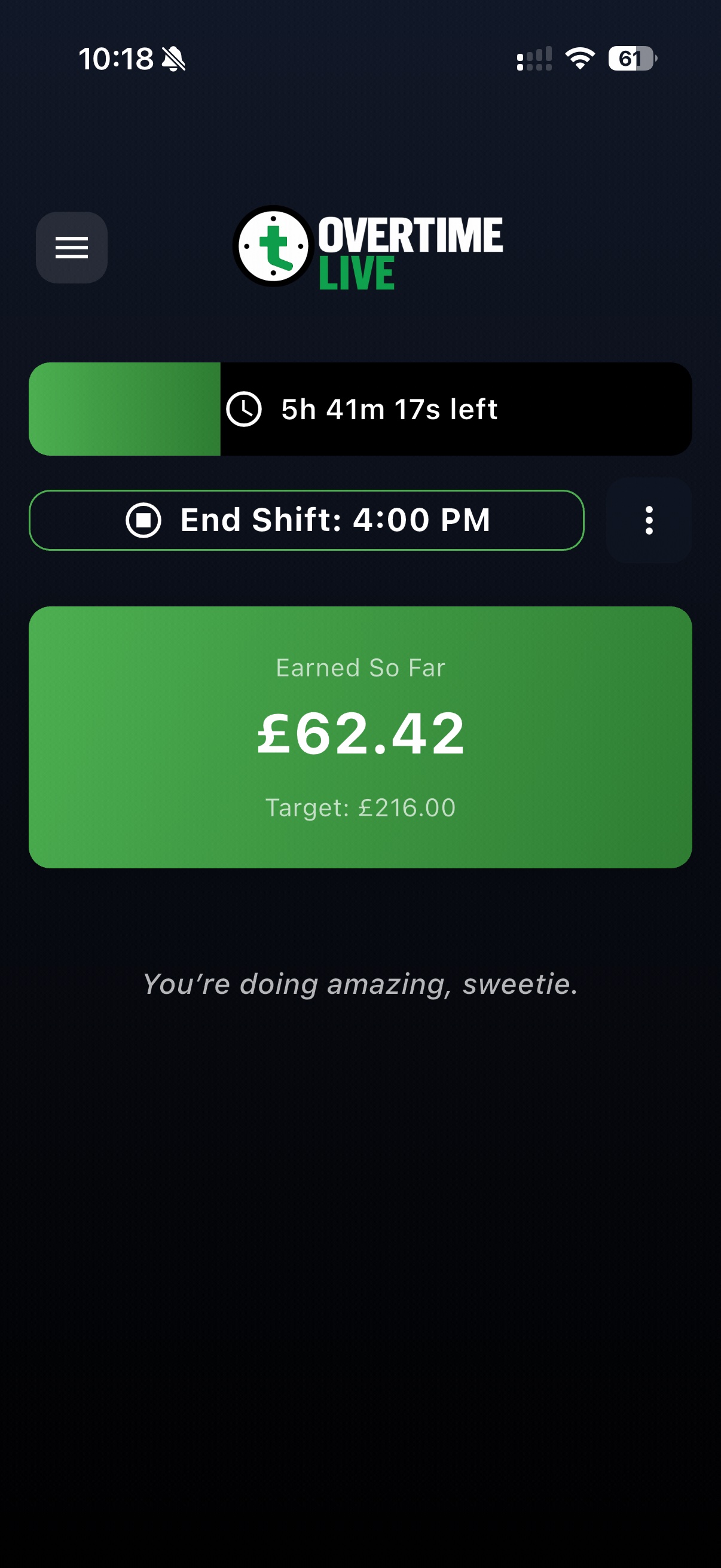
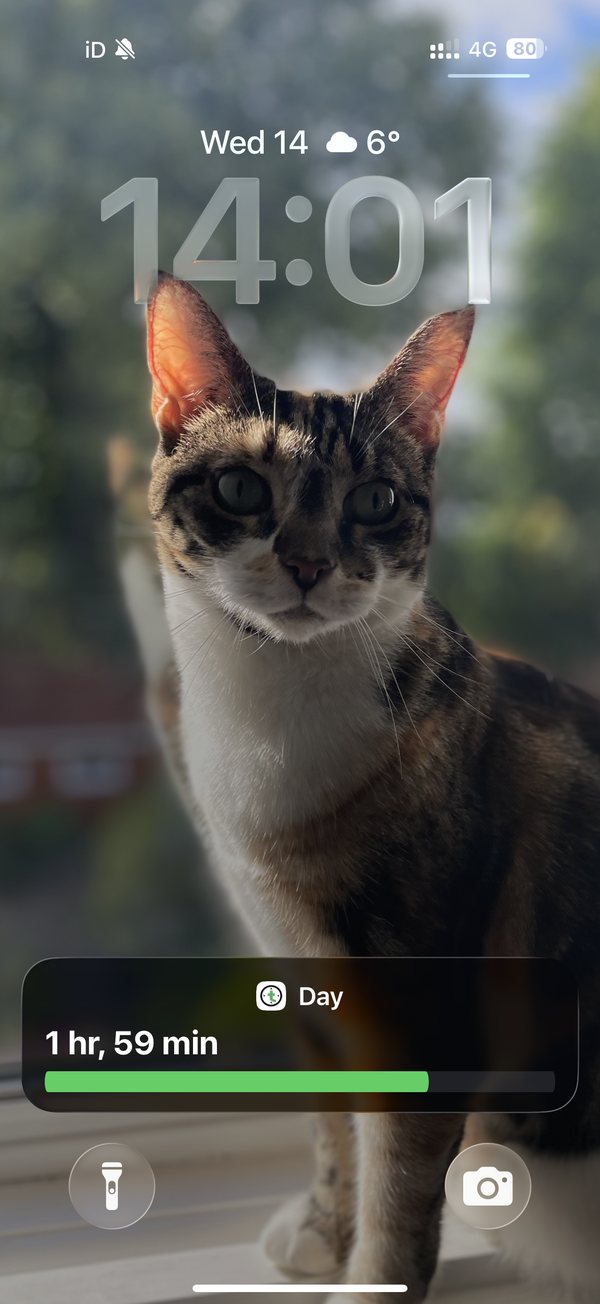
Left: the in-app view mid-shift, showing £62.42 earned so far. Right: my actual iPhone Lock Screen — the Overtime Live Live Activity tracking a live shift, no unlock needed. The same Live Activity shows your running earnings too.
Why it matters for shift workers
If you've ever been halfway through a long shift and wondered what you've actually earned so far — you'll get it immediately. Unlocking your phone to check feels like friction you shouldn't have to deal with when you're busy. And when you're working an NHS ward, a custody suite, a logistics site, or a retail floor, that friction is real.
There's also something quietly motivating about a number ticking upward. Watching your earnings grow in real time — even at a glance — makes a long shift feel less abstract. You're not just clocking time. You're building something.
No other free overtime tracker does this. Overtime Live is the only free app that puts live earnings directly on your Lock Screen using iOS Live Activities. It's not a feature behind a paywall or a subscription tier — it's just there, built in, from the moment you download.
How to get it on your Lock Screen
There's nothing to configure. Here's how it works from first download:
- Download Overtime Live from the App Store (free, no account needed)
- Enter your hourly rate — or use the built-in calculator to work it out from your annual salary
- Tap Start Shift
- Your earnings immediately appear on your Lock Screen as a Live Activity
That's it. The Live Activity stays visible until you end your shift. You can lock your phone, use other apps, put it in your pocket — your earnings are still there when you glance at the screen.
If you have a recurring shift pattern set up, you can also schedule shifts in advance. Overtime Live will send a notification at the exact moment your shift starts, so the Live Activity kicks in right on time — useful for night shifts when you might not want to be opening apps at 2am.
See Your Earnings Without Opening the App
No subscription. No sign-up. Start tracking in under 60 seconds.
NHS nurses, police, and shift workers across the UK
This feature was built with UK shift workers in mind — people who work long, often irregular hours and want a clear, honest view of what they're earning without making it into a project.
If you're an NHS nurse, you're likely working 12-hour shifts with unsocial hours enhancements on top of your base rate. Overtime Live handles the AfC rate structure — you can set Saturday rates, Sunday rates, night uplifts — and the Lock Screen counter reflects whatever rate is active at that moment of your shift.
If you're a police officer, you'll know that cancelled rest days, shift overruns, and bank holiday working all carry different rates. The Live Activity shows exactly what's accumulating — at the right rate, in real time, on your Lock Screen.
Logistics, retail, security, hospitality — anyone working shift patterns where the hours and rates vary — gets the same thing: a clear, real-time number that tells you what that shift is actually worth.
| Feature | Overtime Live | Spreadsheet | Other apps |
|---|---|---|---|
| Lock Screen live earnings | Yes — free | No | No |
| Real-time earnings (second by second) | Yes | No | No |
| Dynamic Island support | Yes (iPhone 14 Pro+) | No | No |
| No subscription needed | Yes | Yes | Often no |
| Mid-shift rate changes | Yes | Manual | No |
Frequently Asked Questions
Is there an app that shows your earnings on your lock screen?
What is the Live Activities feature in Overtime Live?
Which iPhones support Lock Screen earnings in Overtime Live?
Is the Lock Screen earnings feature free?
Does this work on Android?
Does the Live Activity drain my battery?
Follow us on X @OvertimeLiveApp for app updates, UK pay news, and shift worker guides.