
Best Retail Shift Tracker App UK (2026)
Bank holiday comes around and suddenly you're not sure if your rate was right. Night shift ends and you do the maths on your phone and something doesn't add up. For retail workers across the UK, payslip errors are common and easy to miss — unless you're tracking it yourself.
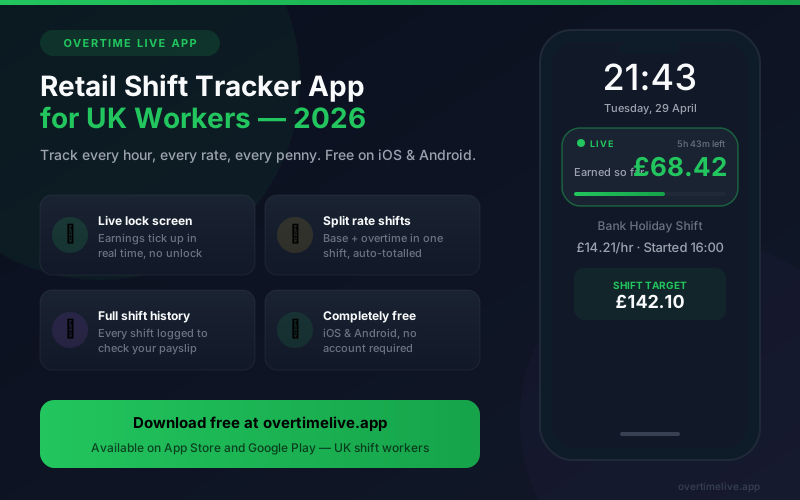
- There is no legal right to overtime pay above NLW in the UK, but most major retailers have contractual overtime and bank holiday rates that must be honoured
- Retail shifts often cross from contracted hours into overtime mid-shift — most apps can't handle that. Overtime Live can
- The most common payslip errors: bank holiday rate applied to the wrong hours, overtime threshold counted wrong, night uplift not applied
- Overtime Live is completely free on iOS and Android, no account required, all data stays on your phone
What retail workers actually get paid for overtime
UK law only requires that all hours are paid at or above the National Living Wage — £12.21/hr for those 21+ from April 2025. Beyond that, your overtime rate is whatever your employment contract says.
In practice, most large retailers have contractual overtime rates, typically kicking in after your contracted weekly hours (often 16, 24 or 37.5 hours depending on your contract type). Some pay time and a quarter. Some pay time and a half. Amazon warehouse workers on certain contracts get overtime after 48 hours, not 37.5. Lidl and Aldi, known for paying above NLW, still have different overtime thresholds.
The point is: you need to know your own contract. And you need to track your own hours, because retail payroll systems regularly get it wrong when shifts cross overtime boundaries mid-way through.
Overtime and bank holiday rates by retailer
Rates above are general indicators based on publicly available information. Your specific rate is in your written employment contract or statement of particulars. If you can't find it, ask your line manager or HR in writing so there's a record.
The app that handles retail shift tracking properly
The problem with most shift trackers is they assume one flat rate for the whole shift. Retail doesn't work like that. If you start at 06:00 and your contracted day ends at 14:00 but you stay until 18:00, those last 4 hours are at a different rate. You need the app to handle the split.
Overtime Live does this with a mid-shift rate switch. When you hit your overtime threshold, tap to change rate. The app logs both segments separately and adds them together. Your lock screen shows the running total throughout — on iOS it uses Live Activities so it's visible without unlocking your phone.
At month end you have a full log of every shift, start time, end time, rate applied, total earned. Put it next to your payslip. If the numbers don't match, that's your evidence.
- Free — no subscription, one optional £0.99 to remove ads
- Works for any employer and any rate — not locked to one retailer
- Supports bank holiday rates, night uplifts and overtime in the same week
- All data stays on your device. Nothing shared
- Yearly earnings total — useful at tax time if you're claiming expenses
Track Every Retail Shift Live
Set your rate, start the shift, see your earnings on your lock screen. Switch to overtime rate mid-shift. Full history every month. Free on iOS and Android.
How to set it up for your retail shifts
Takes two minutes before your first shift:
- Base rate: enter your contracted hourly rate (e.g. £13.50/hr)
- Overtime rate: enter your OT rate (e.g. £16.88/hr for time and a quarter, or £20.25/hr for time and a half)
- Bank holiday rate: if you know it, set it separately before any bank holiday shift
- Start the shift when you clock in. Switch rate when overtime kicks in. Stop when you finish. Done.
If your retailer pays a night uplift (some do, many don't — check your contract), set that as your rate for shifts starting before 6am or finishing after 10pm. Keep the rate switches consistent month to month so your history is accurate.
Payslip errors to look out for
| Error | How to spot it |
|---|---|
| Bank holiday hours at plain rate | If you worked Christmas Day or Easter and the rate looks the same as a normal day, something's wrong. Check your contract for the BH rate. |
| Overtime threshold wrong | If your contract says OT after 37.5h but payroll uses 40h, you lose 2.5h of enhanced pay every week you work overtime. Check the total hours on your payslip against your own record. |
| Night/early uplift not applied | If your contract has a night uplift and you worked a 4am start, that enhanced rate should appear as a separate line on your payslip. |
| Part-time hours wrong | Part-time retail workers often have contracted hours errors — especially around contracted versus actual. Your payslip hours should match what you actually worked. |
Most payroll errors in retail go unnoticed because workers don't have their own records to compare against. Three months of your own shift log is usually enough to build an undeniable case for a backpay correction.